

目录
环境配置
| 工具 | 作用 | 推荐 |
|---|---|---|
| JDK | Java 运行环境 | JDK 17(LTS) |
| IntelliJ IDEA | 开发 IDE | Community 即可 |
| Maven | 依赖管理 | IDEA 内置 |
| 浏览器 / Postman | 调接口 | 浏览器即可 |
Java环境配置,见参考文章。
IDEA 首次配置建议
设置 JDK
Settings → Build, Execution, Deployment → Build Tools → Maven
JDK 选择 17
自动导入 Maven
勾选: Import Maven projects automatically
编码
Settings → Editor → File Encodings
Global Encoding:UTF-8
创建项目
一、新建项目
打开 IDEA
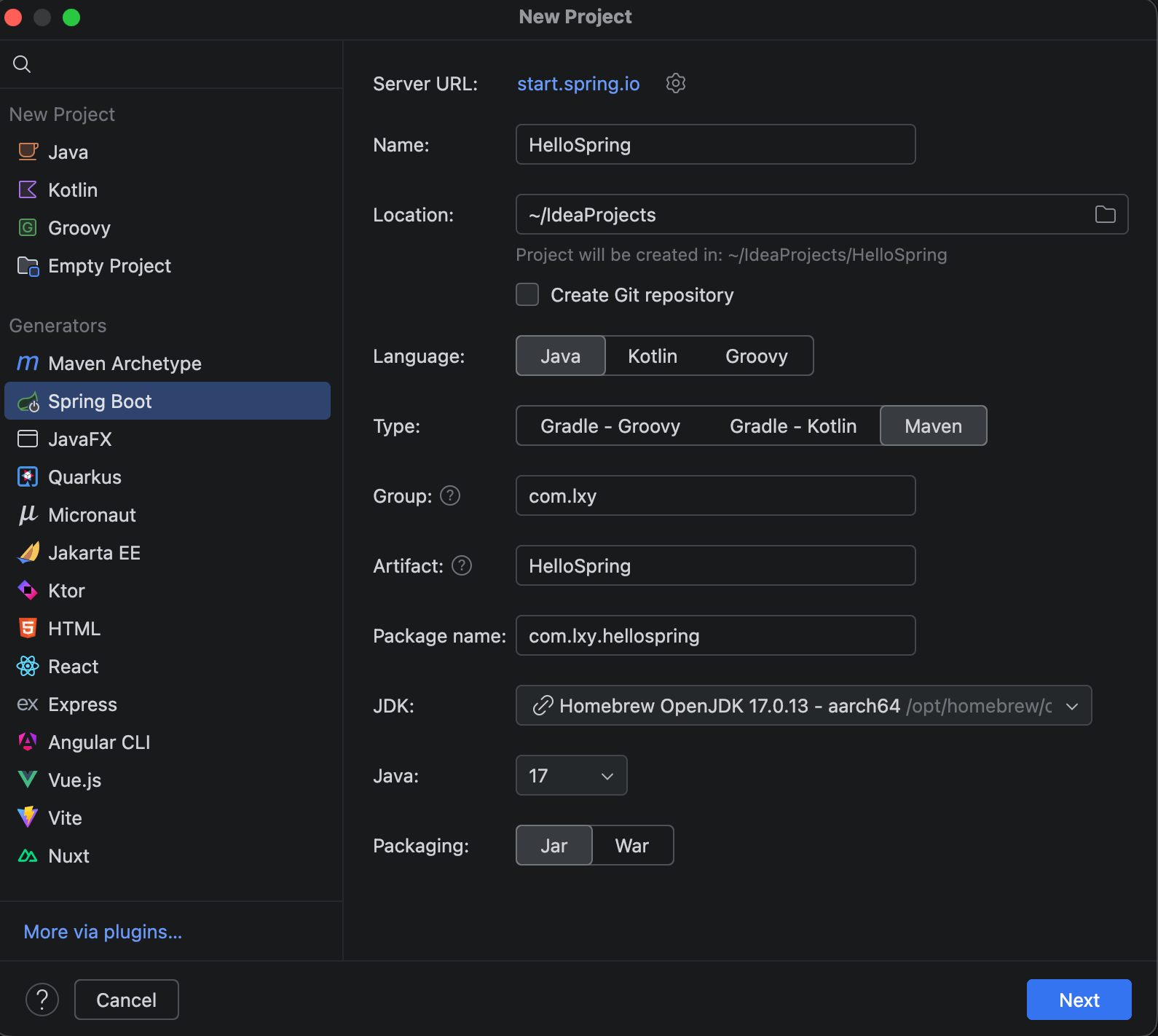
New Project
左侧选择:Spring Initializr
二、项目基础配置(照抄)
| 项 | 值 |
|---|---|
| Project SDK | JDK 17 |
| Type | Maven |
| Language | Java |
| Group | com.lxy |
| Artifact | HelloSpring |
| Packaging | Jar |
| Java | 17 |
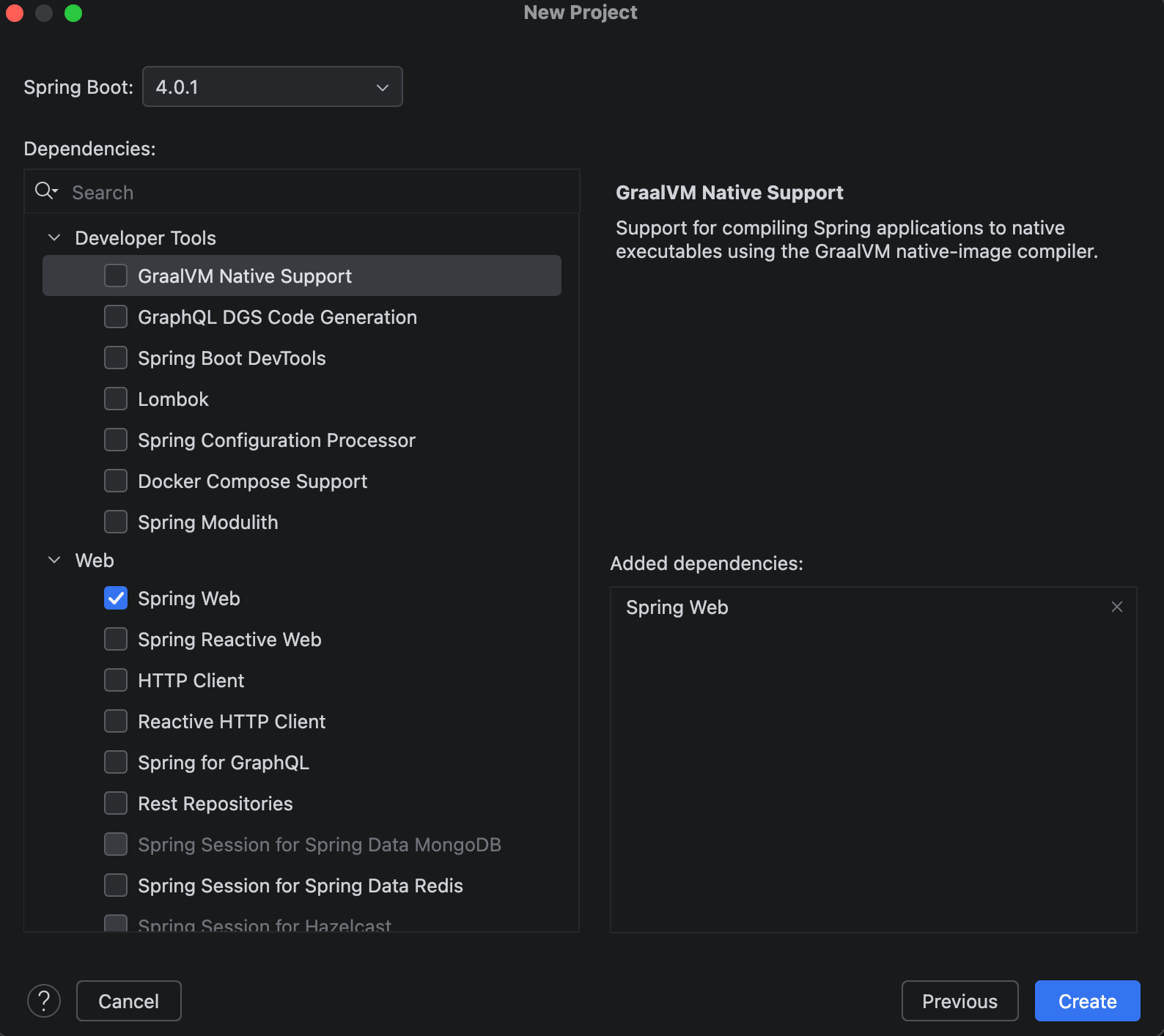
选择依赖(现在只选一个)
勾选: Spring Web
其他一律不选(保持干净)
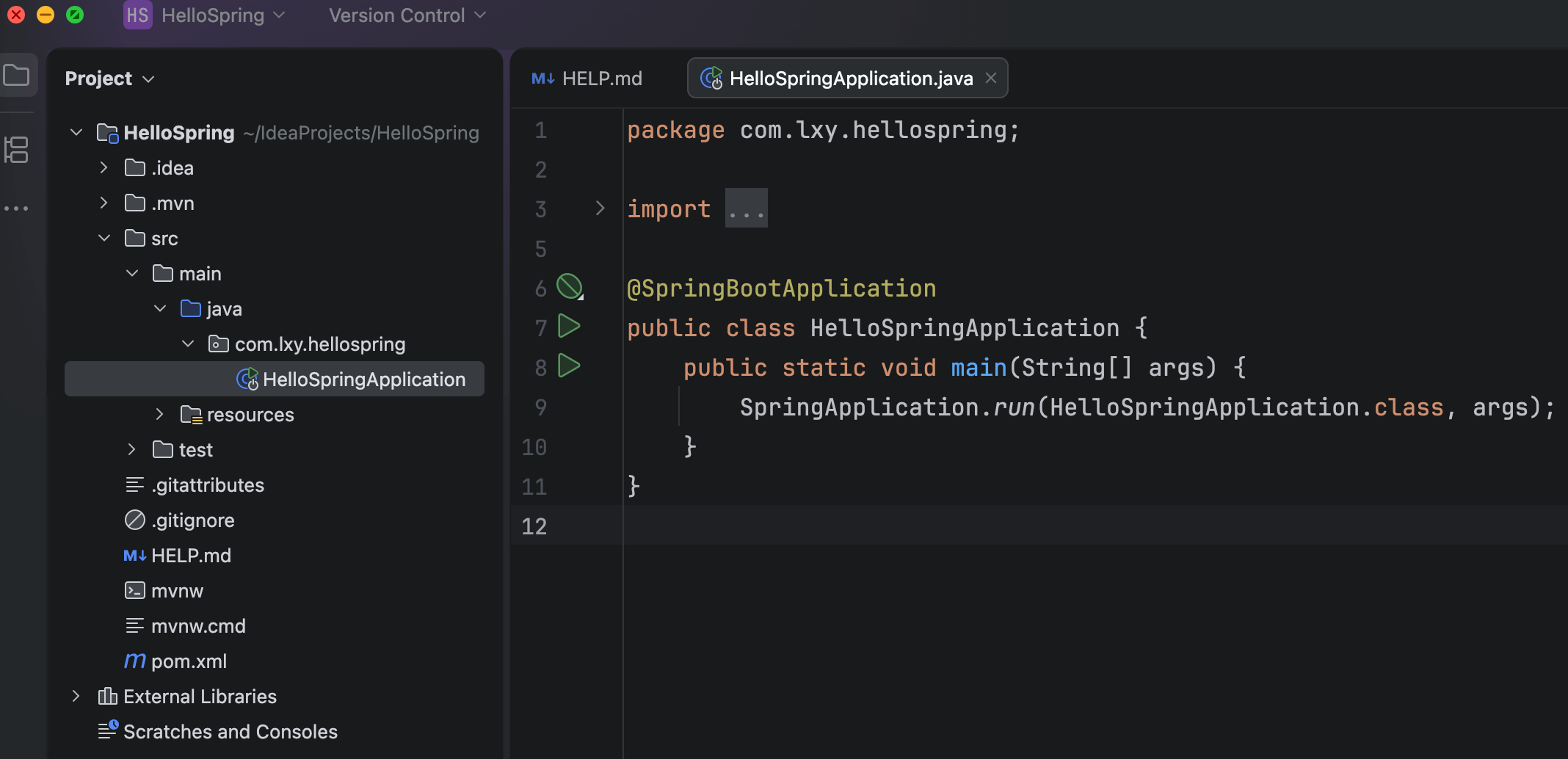
三、创建过程图示
四、启动方式(任选)
✅ 推荐:IDEA 启动
点击 main 左侧 ▶️,选择 Run
启动成功的标志,在控制台看到类似:
Tomcat started on port(s): 8080
Started SpringDemoApplication in xxx seconds
项目源码
参考 HelloSpring 项目 代码
@service:bean对象,spring会管理其生命周期。 主要写业务
UserServiceImpl implements UserService:会在service和impl之间建立映射关系。
@RestController:Web 控制层 + 返回 JSON,同时也是bean对象。是url入口
@RequestMapping:Controller 级别加统一前缀。这是后台最标准的写法。
spring 启动主要做了什么?
Spring Boot 启动的本质是:
创建一个 Spring 容器 → 把所有 Bean 放进去 → 把 Web / 数据库 / 中间件“接通” → 等待请求
行者常至,为者常成!